Views and forms
Every pebble shows its records through views and takes new ones through forms. Your AI picks the kind for each; you can ask for another.
Good for: Rows to read and compare, several values each.
Not for: One number (stat), a current run (streak), or a trend over time (chart).
Good for: Items to scan, each with a few details.
Not for: Values to compare across rows (table).
Good for: A few headline numbers, one row.
Not for: Several rows (table or list).
Good for: A trend: numbers over a label such as a day.
Not for: Text values (table), or one number (stat).
Streak
Section titled “Streak”Good for: A current run of days, with the best run.
Not for: Any other count (stat).
Record
Section titled “Record”Good for: One row in full, with the rows that link to it and a way to add one.
Not for: Several rows (table, list or board).
Good for: Rows as cards in lanes, such as deals by stage.
Not for: Rows to compare (table), or no column to group by.
Calendar
Section titled “Calendar”Good for: Rows on the days of a month or week, such as stays by arrival.
Not for: Rows without a date (table), or a timeline of rooms by night.
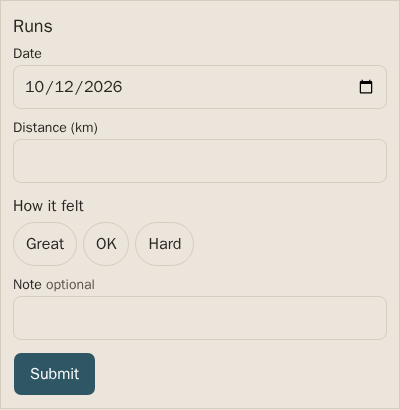
A form adds one row to a table, with a field for each column. Where a table allows it, its records also have Edit and Delete, in the app and in chat; any other change goes through your AI.
Field kinds
Section titled “Field kinds”text: Any column no other rule matches, and any field kind this renderer doesn’t know.
long-text: Notes and other text that runs over several lines.
number: Columns with INTEGER, REAL, NUMERIC or DECIMAL types.
money: Amounts: a number column whose pebblebase_fields row sets format money or cents.
duration: Lengths of time: an integer column of whole seconds whose pebblebase_fields row sets format duration.
date: A day: a column with CHECK (x IS date(x)), or a text column whose pebblebase_fields row sets kind date.
date-time: A moment: a column with CHECK (x IS datetime(x)), or a text column whose pebblebase_fields row sets kind date-time, stored as UTC.
yes-no: A flag: a column with CHECK (x IN (0, 1)).
choice: Columns with a CHECK (x IN (…)) list.
reference: A column with REFERENCES another table: pick a row by its record label.
Row and header buttons
Section titled “Row and header buttons”A view can put buttons on its rows or by its heading that open a form already filled in, such as Log call on a deal.